As of 2026, Claude has evolved beyond a simple AI chatbot to become a work partner that genuinely boosts workplace productivity. From writing and data analysis to code review and meeting minutes — the right prompt can completely transform your results. In this article, we've compiled a collection of prompts organized by scenario that professionals can copy and use right away.
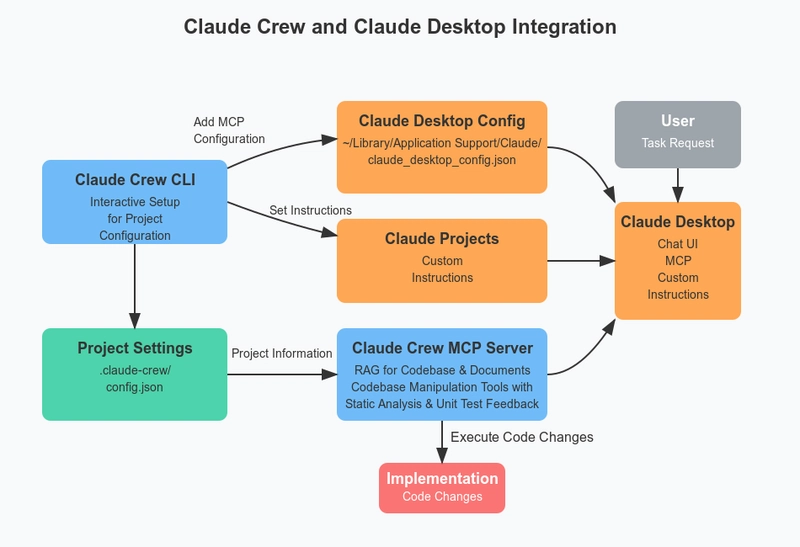
📸 Introducing Claude Crew: Enhancing Claude Desktop's Coding ...
1. The Golden Formula for Claude Prompts
To get the best results from Claude, simply include these 4 elements:
- Role: Provide context, such as "You are a B2B marketer"
- Goal: Clearly state what you want
- Constraint: Length, format, target audience, etc.
- Format: Bullet list, table, markdown, etc.
Example:
"You are a content marketer at a SaaS startup. Based on the following product feature list, write a 3-sentence introduction for a non-technical CEO. No jargon, focused on business value."

📸 10 Surprising Ways Claude Is Changing How We Work. The ...
2. 10 Practical Prompts by Scenario
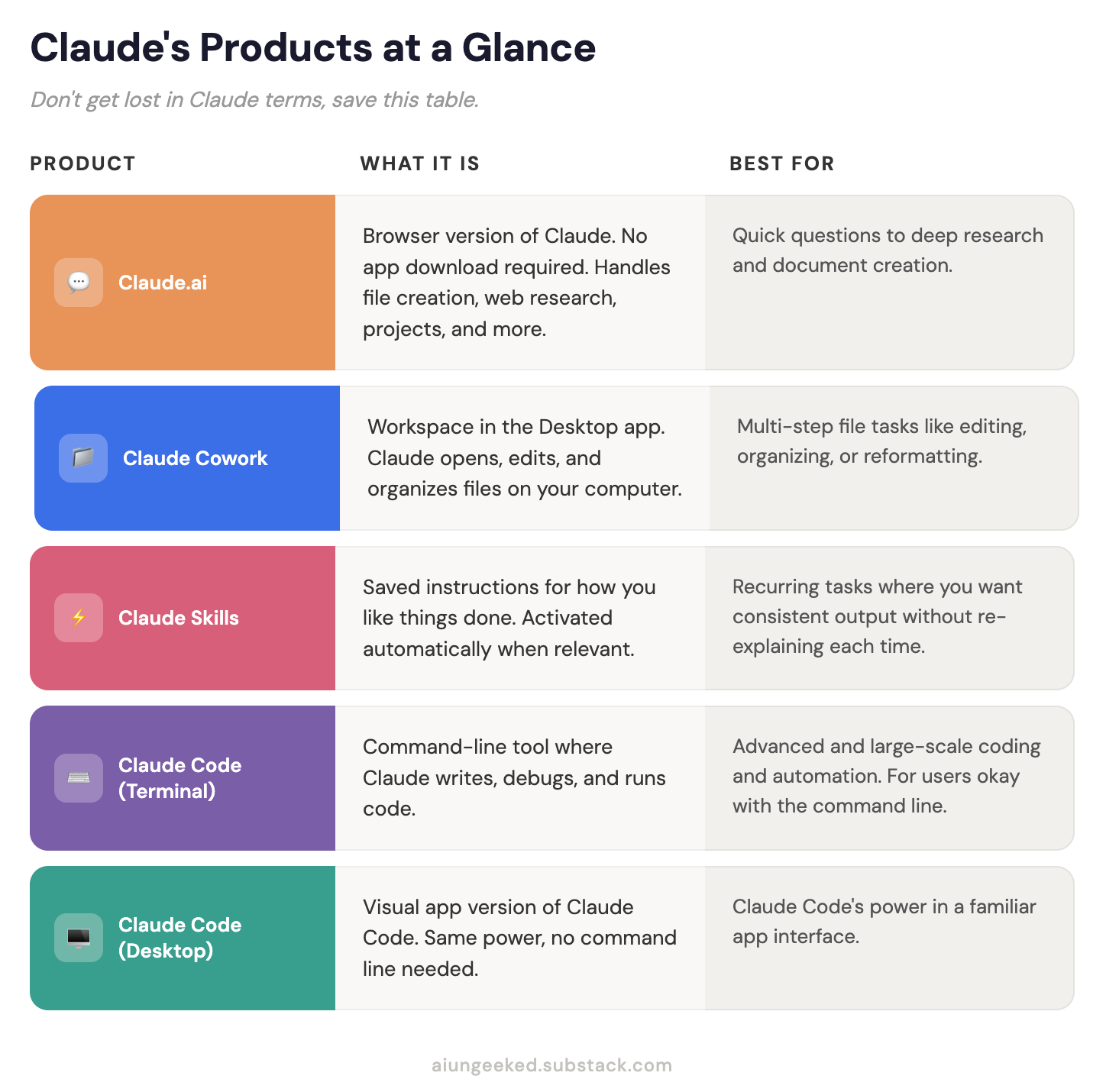
📸 Issue 20: Claude Cowork Explained (With Real Use Cases)
📝 Document Writing
① Meeting Minutes → Action Item Extraction
Please extract action items by owner from the following meeting minutes.
Format: | Owner | Task | Deadline |
Meeting minutes: [paste]
② Email Draft Writing
Situation: The deadline is 3 days overdue, and I need to send an apology email to the client contact.
Conditions: Polite but without excuses, include alternative solutions, within 3 paragraphs
Recipient title: [enter Team Lead/Manager, etc.]
③ Proposal Table of Contents Structure
Topic: [Project Name]
Purpose: [One-line description]
Create a table of contents for an executive proposal based on this topic.
Include a 2-3 line summary for each section.
📸 Using Claude AI for Work Tasks
📊 Data Analysis
④ Excel Data Insights Extraction
Here is monthly revenue data: [paste table]
1) 3 key trends
2) Outlier analysis
3) Provide rationale for next month's forecast
Please summarize each in bullet points.
⑤ Customer Review Sentiment Classification
Classify the following customer reviews as positive/neutral/negative,
and summarize the common complaint patterns from negative reviews in 3 points.
Reviews: [paste]
💡 Idea Generation
⑥ Marketing Copy for A/B Testing
Product: [Product name + one-line description]
Target: [Persona description]
Write 2 versions of copy for each of the following channels:
- Instagram caption (include emojis, within 150 characters)
- KakaoTalk notification (within 70 characters, include CTA)
- Naver Blog title (click-through optimized)
⑦ Service Improvement Idea Brainstorming
Our service: [description]
Current user complaints: [2-3 key complaints]
Competitor advantages: [what competitors do better]
Based on this, propose 10 improvement ideas implementable within 6 months.
Mark each idea with expected impact (High/Medium/Low) and difficulty (High/Medium/Low).
🔍 Research & Summary
⑧ Long Document Key Summary
Read the following document and summarize:
1) Core argument in one sentence
2) 3 main supporting points (bullets)
3) Actions I should take (if any)
Document: [paste]
⑨ Competitor Positioning Analysis
Our company: [description]
Competitors A, B, C landing pages/intro content: [paste]
Organize price, target customers, and differentiation points into a comparison table
and suggest positioning gaps we can target.
🤖 Automation & Code
⑩ Repetitive Task Automation Script Request
Every Monday morning, I do the following tasks:
[describe specific repetitive tasks]
Please write a Python script to automate this.
Conditions: Include error handling, comments in Korean, understandable for beginners.
3. Key Tips to Get 200% More Out of Claude
- Long materials first, questions last — Response quality improves by up to 30%
- Add "Let's think step by step" — One sentence maximizes reasoning ability
- Include 1-2 examples — Showing "like this format" yields much more accurate results
- Assign a role — Starting with "You are a ~" gives professional responses
- Specify output format — Be specific: "as a markdown table", "in 3 paragraphs", "as 5 bullets"
4. Real-World Application Scenarios
Scenario: Complete Monthly Reports in 30 Minutes
- Excel data → Paste into Claude → Extract insights (Prompt ④)
- Team meeting minutes → Organize action items (Prompt ①)
- Combine both results → Structure executive proposal (Prompt ③)
- Final document → Auto-generate email draft (Prompt ②)
Following this workflow reduces monthly reports that typically take 3-4 hours down to 30-40 minutes.
댓글
댓글 쓰기