Google Antigravity IDE Ultimate Guide 2026 - Practical Use of the Gemini 3.1-Powered Agentic Development Platform

📸 I Tested (New) Google Antigravity IDE (And Discovered the ...
What is Google Antigravity? A New Paradigm in Agentic IDEs
On November 18, 2025, Google unveiled Google Antigravity alongside the Gemini 3 model launch. While traditional AI-assisted editors like Cursor and GitHub Copilot remain limited to "sidebar chatbots," Antigravity has evolved into a fully autonomous development platform where agents plan, execute, and validate tasks independently. With the latest preview (1.18.4) released on February 21, 2026, it's now capturing global developers’ attention.
📸 Google Antigravity Documentation
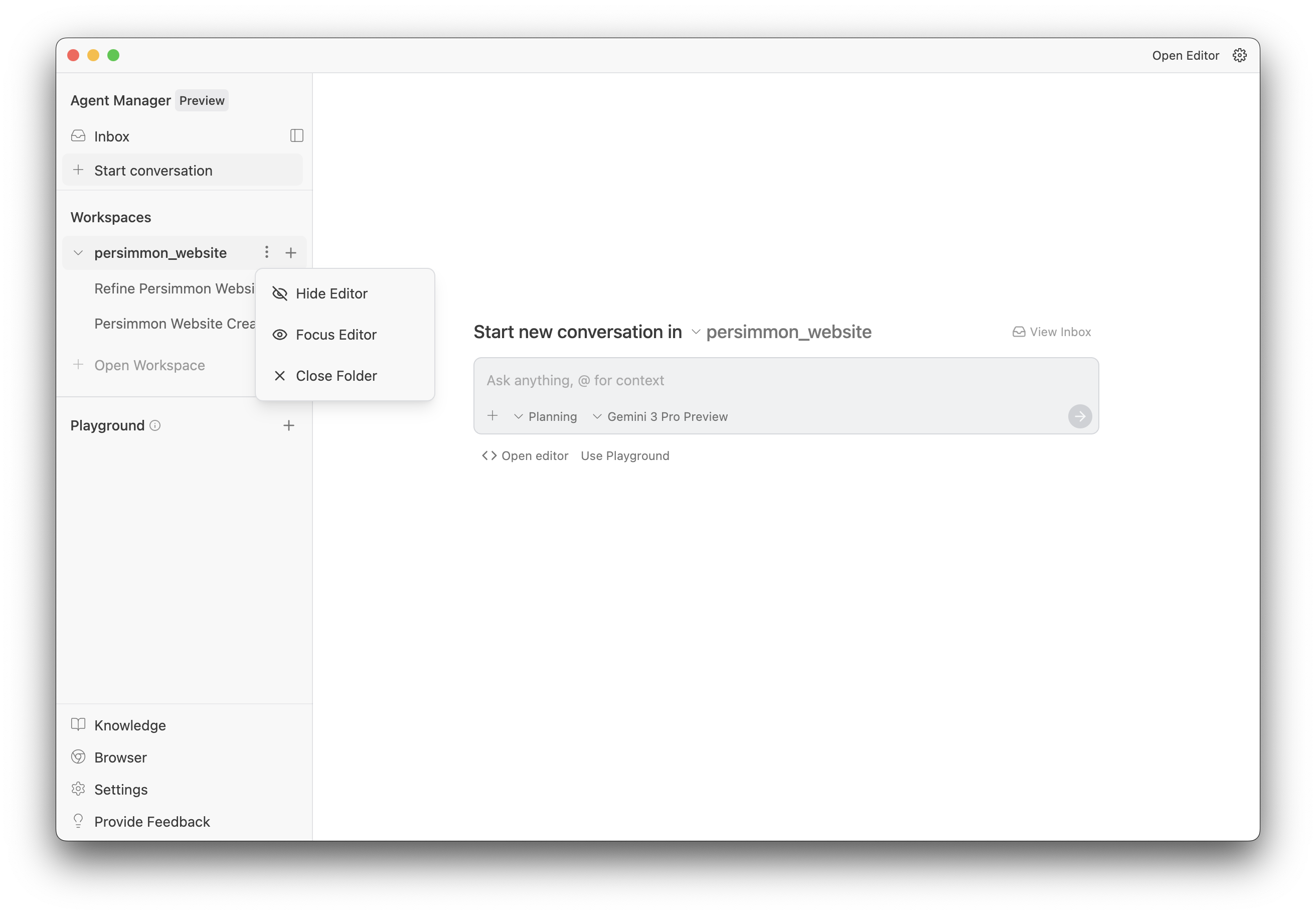
Core Architecture: Editor View and Manager Surface
Antigravity provides two primary work interfaces:

📸 Google Antigravity Documentation
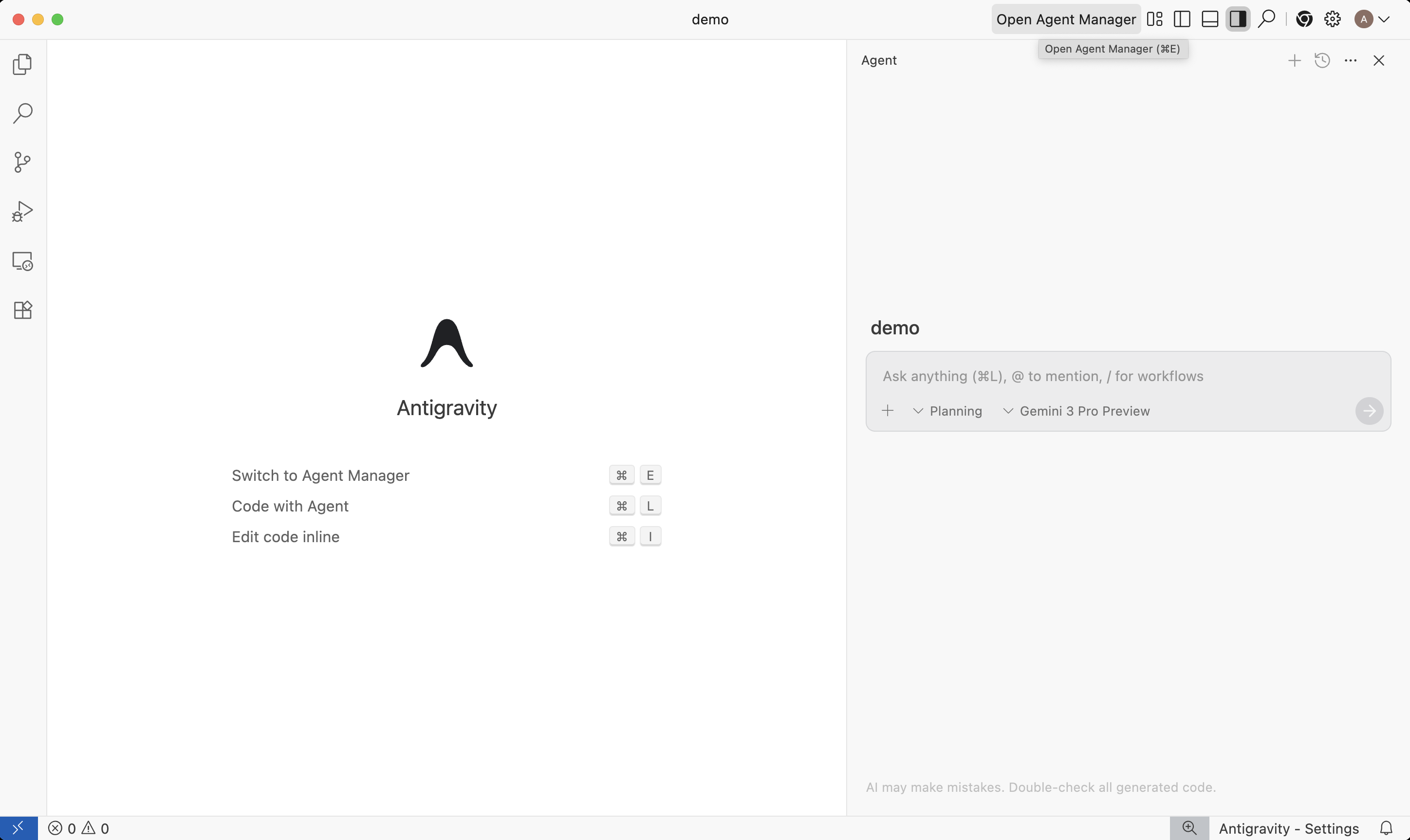
Editor View
Built on Visual Studio Code, this is a familiar IDE environment with AI-enhanced features like tab completion, inline commands, and an integrated AI side panel. You can maintain your existing development workflows while gaining powerful AI assistance. Most VSCode extensions and settings are fully compatible.
📸 Build with Google Antigravity, our new agentic development ...
Manager Surface
This is Antigravity’s core innovation: a dedicated interface that allows developers to run and monitor multiple AI agents in parallel. For example, you can assign five different bug-fixing tasks to five separate agents simultaneously. Each agent autonomously navigates between the editor, terminal, and browser to complete the task.
Artifacts: The Foundation of Agent Trust
One of the biggest concerns when delegating tasks to agents is "Can I trust them?" Antigravity solves this with its Artifacts system.
- Task List: Step-by-step log of all actions taken by the agent
- Implementation Plan: The agent’s proposed approach before making code changes
- Screenshots and Browser Recordings: Visual verification of UI changes
- Inline Feedback: Direct comments and edit requests on artifacts (like document comments)
Instead of scrolling through endless logs, you can instantly review work results through clean, structured artifacts—building transparency and trust in AI-driven development.
Supported AI Models: Freedom to Choose
Antigravity isn’t tied to a single model. Choose from the following supported models:
- Gemini 3.1 Pro — Default model, optimized for complex engineering tasks
- Gemini 3 Flash — Ideal for fast, repetitive tasks requiring quick responses
- Claude Sonnet 4.6 / Claude Opus 4.6 — Full support for Anthropic’s powerful models
- GPT-OSS-120B — Open-source variant of OpenAI’s model supported for flexibility
3 Real-World Use Cases
1. Multi-Tool Software Task Delegation
Delegate feature implementation to an agent: it writes code → runs the app in the terminal → and directly tests it in the browser. You only need to review the final artifacts.
2. UI Change Automation
Just say, "Change the button color to blue and make it responsive," and the agent modifies the code and reports back with a screenshot. Drastically shortens design feedback loops.
3. Background Long-Term Maintenance
Run agents in the background via the Manager Surface to handle issue reproduction → test case generation → bug fixing—all while you focus on other tasks.
Getting Started: Free Preview Access
Google Antigravity is currently free during its preview period. Compatible with Windows 10+, macOS Monterey 12+, and Linux (glibc 2.28+).
- Visit antigravity.google
- Log in with your Google account
- Download the installer for your platform
- Install and connect your GitHub repository
Comparison: Antigravity vs Cursor vs Windsurf
| Feature | Google Antigravity | Cursor | Windsurf |
|---|---|---|---|
| Parallel Agents | ✅ Manager Surface | ✅ Sub-agents | ⚠️ Limited |
| Default Model | Gemini 3.1 Pro | Claude 4.x | Claude 4.x |
| Free Access | ✅ Preview Free | Limited Free Tier | Limited Free Tier |
| Developer | Anysphere | Codeium |
Conclusion: The Rise of the Agentic IDE Era
Google Antigravity is more than just a code-completion tool. It introduces a new development paradigm where AI agents function as true team members. With free access during the preview period, now is the perfect time to get started. Leverage the powerful reasoning capabilities of Gemini 3.1 Pro to automate complex engineering workflows and supercharge your productivity.
댓글
댓글 쓰기