
📸 Tailwind CSS v4.0 - Tailwind CSS
What is Tailwind CSS v4? — A Complete Rebirth of the Framework
Tailwind CSS v4.0 is a completely new version of Tailwind officially released in early 2025. It's not just a simple upgrade—it's an innovative release that redesigns performance, configuration approach, and overall CSS philosophy. The key highlights include the Oxide engine written in Rust, a CSS-first configuration approach that eliminates JavaScript configuration files, and an architecture that maximizes modern browser capabilities.
As of 2026, with many projects migrating from v3 to v4, use this guide to master everything about Tailwind CSS v4 and apply it in real-world scenarios.
📸 Open-sourcing our progress on Tailwind CSS v4.0 - Tailwind CSS
Key New Features in Tailwind CSS v4

📸 What's Tailwind Oxide Engine? The Next Evolution of Tailwind ...
1. Oxide Engine — Up to 100x Faster Builds
The most noticeable change is the new Oxide engine written in Rust:
- Full build: Up to 5x faster
- Incremental build: Up to 100x faster — in microseconds!
In large-scale projects, the HMR (Hot Module Reload) speed of the development server is dramatically improved.
📸 Tailwind CSS 4.1 Brings Text Shadows and CSS-First Setup ...
2. CSS-First Configuration — tailwind.config.js is Gone
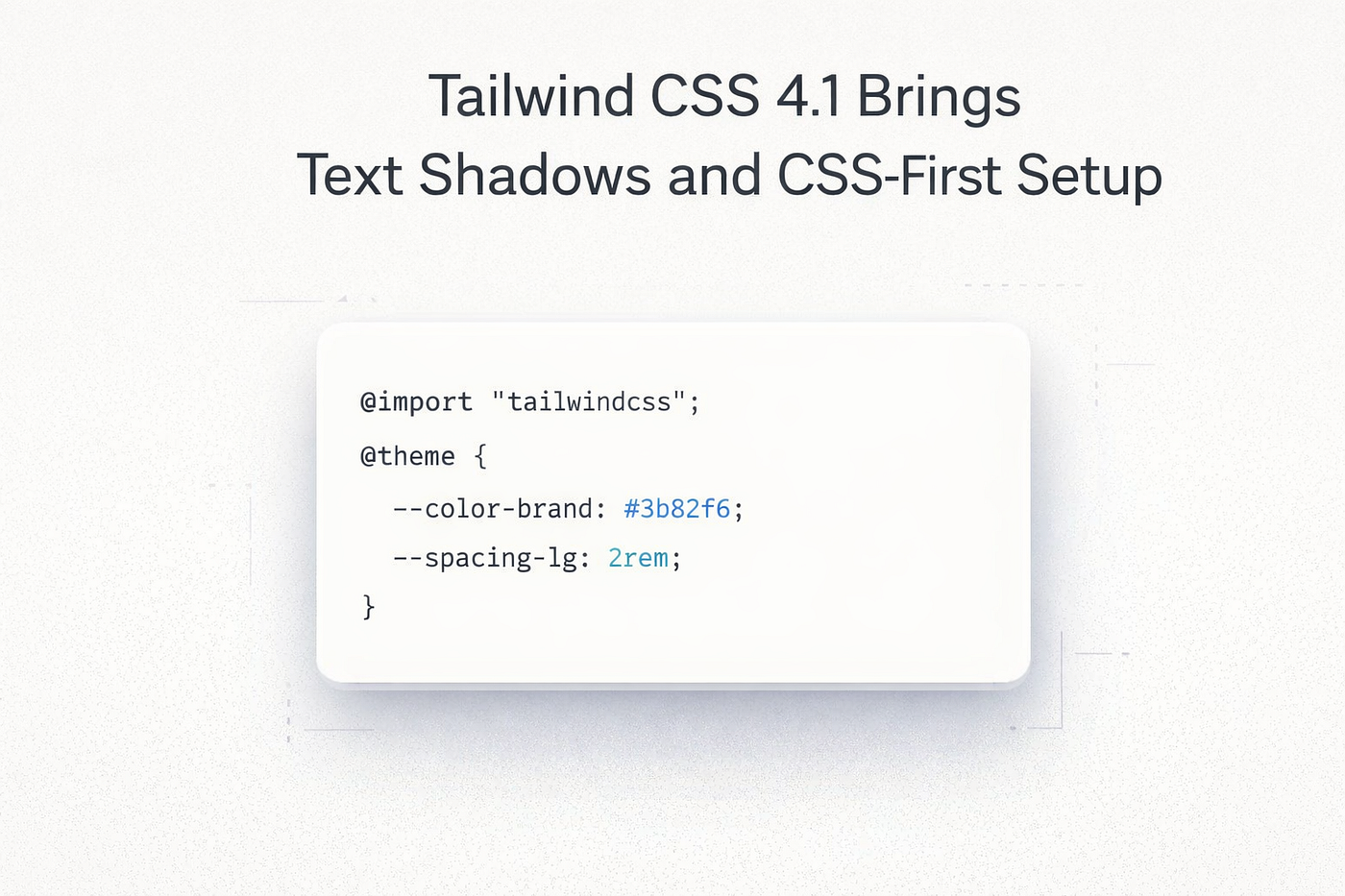
Until v3, you configured Tailwind using a JavaScript file. In v4, the CSS file itself is the configuration file:
/* v3: tailwind.config.js */
module.exports = {
  theme: {
    extend: {
      colors: { brand: '#e63946' }
    }
  }
}

/* v4: Now directly in CSS! */
@import "tailwindcss";
@theme {
  --color-brand: #e63946;
  --font-display: "Inter", sans-serif;
  --spacing-128: 32rem;
}
Simply define design tokens as CSS custom properties inside the @theme block. Complete customization is possible with CSS alone, without a separate JS file.
3. Simplified Installation — Just One Line
v4 significantly reduces dependencies and simplifies installation:
/* Just one line in your CSS file */
@import "tailwindcss";
The PostCSS plugin is replaced by a new dedicated Vite plugin, enabling faster and cleaner configuration in Vite projects.
4. Automatic Content Detection
In v3, you had to specify paths directly in the content array. v4 automatically detects template files. It scans all files in your project without any additional configuration and includes only the utility classes used.
5. CSS Theme Variables — Accessible Everywhere
All design tokens are exposed as native CSS variables:
/* Available anywhere! */
.custom-element {
  color: var(--color-brand);
  font-size: var(--text-xl);
  margin: var(--spacing-4);
}
You can leverage a consistent design system even in CSS-in-JS or inline styles within components.
6. Built-in Container Queries
Container Queries, which required a plugin in v3, are now built-in by default:
<div class="@container">
  <div class="@md:grid-cols-3 @sm:grid-cols-2 grid-cols-1">
    ...
  </div>
</div>
7. 3D Transform Utilities
New utilities to apply 3D transforms directly in HTML:
rotate-x-*,rotate-y-*,rotate-z-*translate-z-*,scale-z-*perspective-*,transform-style-3d
8. @starting-style — Entry/Exit Transitions Without JS
<!-- Entry animation without JS! -->
<div class="opacity-100 transition-opacity starting:opacity-0">
  ...
</div>
9. Extended Gradient API
Various gradient utilities have been added, including radial gradients, conic gradients, and interpolation modes:
<div class="bg-radial-[at_25%_25%] from-white to-zinc-900">Migrating from v3 to v4
Automatic Migration Tool
Most changes can be handled automatically using the automatic upgrade tool provided by the Tailwind team:
npx @tailwindcss/upgradeMajor Breaking Changes
- tailwind.config.js → @theme in CSS: JavaScript configuration file removed
- @tailwind directives → @import "tailwindcss": Changed base/components/utilities separation approach
- PostCSS plugin → Vite plugin: Separate PostCSS dependency removed
- Some utility class name changes: Cleanup of 40%+ legacy classes
Tailwind CSS v4 vs v3 — At a Glance Comparison
| Feature | v3 | v4 |
|---|---|---|
| Build Engine | JavaScript (PostCSS) | Rust (Oxide) |
| Configuration | tailwind.config.js | @theme in CSS |
| Container Queries | Plugin Required | Built-in |
| Incremental Build Speed | Hundreds of ms to seconds | Microseconds |
| Content Path Configuration | Manual Specification Required | Automatic Detection |
| 3D Transforms | Not Supported | Built-in |
Practical Tips — v4 Migration Checklist
- ✅ Run automatic migration with
npx @tailwindcss/upgrade - ✅ Vite users replace with
@tailwindcss/viteplugin - ✅ Migrate custom colors/fonts from
tailwind.config.jsto@theme - ✅ Remove container query plugin (now built-in)
- ✅ Check renamed classes (refer to official upgrade guide)
Conclusion — The Choice for 2026 Frontend Standards
Tailwind CSS v4 is not just a fast update. It improves build speed by 100x with the Rust engine, reduces configuration complexity with CSS-first philosophy, and builds in modern CSS features like container queries and 3D transforms. If you're starting a new project in 2026, choosing Tailwind CSS v4 as your default is a rational decision.
댓글
댓글 쓰기