The Ultimate CSS 2026 Guide - Building Interactive UIs with Customizable Select, scroll-marker, and Container Scroll-State Without JavaScript

📸 User JavaScript and CSS - Chrome Web Store
CSS 2026 Is Transforming Frontend Development — Interactive UIs Without JavaScript
If you're a frontend developer, you've probably been here before: setting up IntersectionObserver for sticky headers, writing hundreds of lines of JavaScript for a custom select dropdown, or attaching a chain of event listeners to manage carousel pagination dots. But in 2026, CSS is changing all of that.
In this post, we’ll explore the key CSS features newly adopted across major browsers in 2026, and how they empower developers to create richer user experiences with minimal JavaScript dependency.
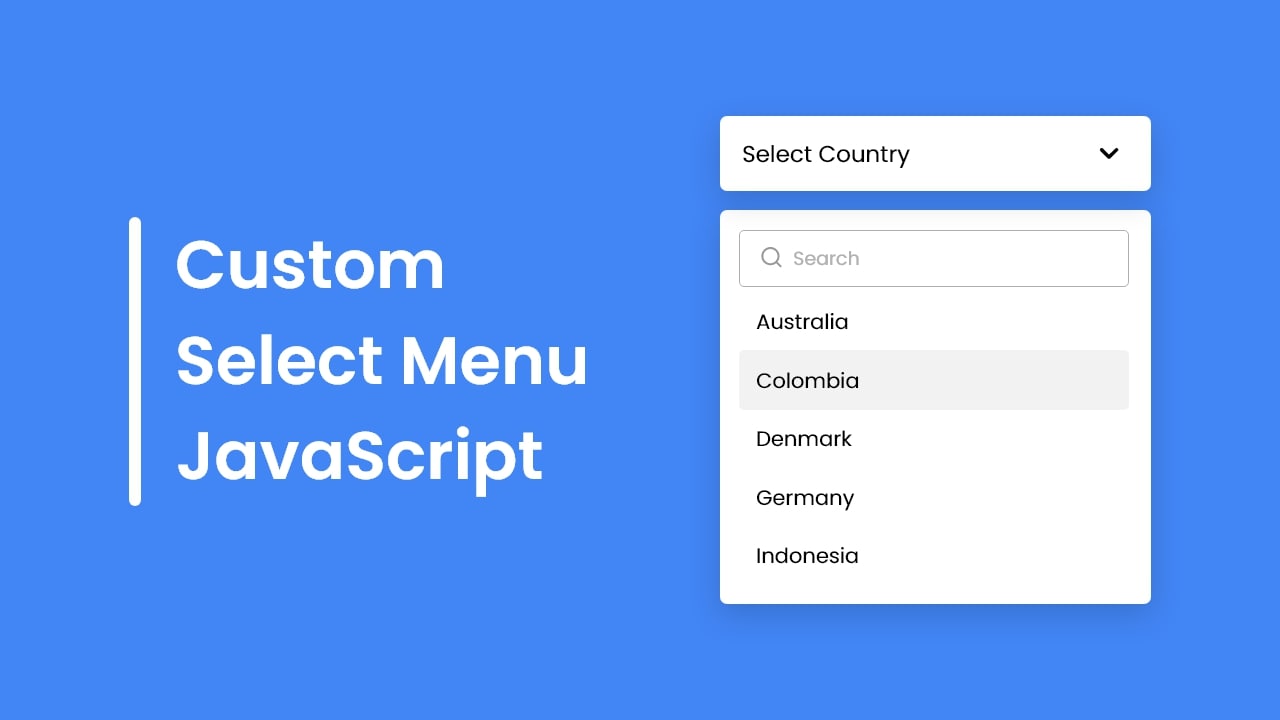
📸 Create A Custom Select Menu in HTML CSS & JavaScript
1. Customizable Select — Finally Fully Styleable <select> Elements
A long-requested feature by web developers has finally become a reality. The native <select> element was historically difficult to style with CSS, forcing most teams to build JavaScript-powered custom dropdowns or rely on third-party libraries.
In 2026, you can now switch the native <select> into a fully customizable mode using appearance: base-select.
select {
  appearance: base-select;
  font-family: 'Pretendard', sans-serif;
  border: 2px solid #4f46e5;
  border-radius: 12px;
  padding: 8px 16px;
}

select::picker(select) {
  border: 1px solid #e5e7eb;
  border-radius: 8px;
  box-shadow: 0 10px 25px rgba(0, 0, 0, 0.15);
  background: white;
}

option {
  padding: 8px 12px;
}

option:hover {
  background-color: #eef2ff;
  color: #4f46e5;
}
Here, ::picker(select) is a pseudo-element that refers to the dropdown panel itself, allowing free styling of background, border, and shadow. This means you gain full design control while preserving native-level accessibility.
📸 CSS @container scroll-state: Replace JS scroll listeners now ...
2. Container Scroll-State — Style Scroll Behavior Without JavaScript
In the past, adding a shadow to a sticky header only when it was "stuck" required IntersectionObserver or scroll event listeners. Now, it's possible with CSS alone.
/* Enable scroll-state queries on the container */
.header-wrapper {
  container-type: scroll-state;
}

/* Add shadow only when header is stuck at the top */
@container scroll-state(stuck: top) {
  .sticky-header {
    box-shadow: 0 4px 20px rgba(0, 0, 0, 0.1);
    backdrop-filter: blur(8px);
  }
}
This also works beautifully with snap carousels. Since CSS can now detect which slide is currently snapped, you can highlight pagination indicators — no JavaScript needed.
@container scroll-state(snapped: x) {
  .slide {
    scale: 1;
    opacity: 1;
  }
}

.slide {
  scale: 0.95;
  opacity: 0.7;
  transition: scale 0.3s, opacity 0.3s;
}
📸 NEW CSS Scroll Features are Game Changers
3. ::scroll-marker and ::scroll-marker-group — CSS-Only Carousel Pagination
For slide shows or tab interfaces, we used to manually add navigation buttons (dots) to the DOM and use JavaScript to manage active state. Now, CSS handles this natively.
.carousel {
  overflow-x: scroll;
  scroll-snap-type: x mandatory;
}

/* Automatically generate marker dots for each slide */
.slide::scroll-marker {
  content: '';
  width: 8px;
  height: 8px;
  border-radius: 50%;
  background: #d1d5db;
}

.slide::scroll-marker:target-current {
  background: #4f46e5;
  scale: 1.3;
}

/* Style the container wrapping all markers */
.carousel::scroll-marker-group {
  display: flex;
  gap: 8px;
  justify-content: center;
  padding: 12px 0;
}
The browser automatically generates markers for each slide and applies the :target-current state to the marker corresponding to the currently snapped slide. A fully functional carousel indicator — with zero JavaScript.
4. ::scroll-button — Native Scroll Navigation Buttons in CSS
You can now add 'prev/next' buttons to horizontal scroll containers using CSS alone.
.product-list {
  overflow-x: scroll;
}

/* Automatically generate left/right scroll buttons */
.product-list::scroll-button(left) {
  content: '◀';
  position: absolute;
  left: 0;
  background: white;
  padding: 8px;
  cursor: pointer;
}

.product-list::scroll-button(right) {
  content: '▶';
  position: absolute;
  right: 0;
  background: white;
  padding: 8px;
  cursor: pointer;
}
Clicking these buttons triggers automatic scrolling in the respective direction — no JavaScript required, and with built-in accessibility.
5. sibling-index() and sibling-count() — Revolutionizing CSS Repetitive Patterns
The days of memorizing complex :nth-child() formulas are over. sibling-index() lets you treat an element's sibling position like a CSS variable.
.timeline-item {
  /* Gradually change background color based on order */
  background: hsl(
    calc(sibling-index() * 30),
    70%,
    85%
  );

  /* Stagger animation delays by position */
  animation-delay: calc(sibling-index() * 0.1s);
}
In the past, achieving such effects required inline JavaScript styles or Sass loops. Now, it's possible with pure CSS.
6. View Transitions API — A New Standard for Page Animations
The View Transitions API gained attention in 2025, but in 2026 it's evolved with Conditional View Transitions. You can now activate animations based on navigation type or apply different effects conditionally.
/* Reverse slide direction on back navigation */
@view-transition {
  navigation: auto;
}

@keyframes slide-in-right {
  from { translate: 100% 0; }
  to { translate: 0 0; }
}

@keyframes slide-in-left {
  from { translate: -100% 0; }
  to { translate: 0 0; }
}

::view-transition-new(root):only-child {
  animation: slide-in-right 0.4s ease;
}

/* Detect back navigation */
html:active-view-transition-type(back) {
  &::view-transition-new(root) {
    animation-name: slide-in-left;
  }
}
Can I Use This Today? — Real-World Browser Support
To be honest, as of 2026, these features are still in early adoption. Chrome and Edge support most of them, but Firefox and Safari are still rolling out partial implementations. For production use, a @supports-driven progressive enhancement strategy is essential.
/* Check for Customizable Select support */
@supports (appearance: base-select) {
  select {
    appearance: base-select;
    /* Apply custom styles */
  }
}

/* Fallback for unsupported browsers */
@supports not (appearance: base-select) {
  .custom-select-wrapper {
    /* Display JavaScript-based custom dropdown */
    display: block;
  }
}
What CSS 2026 Means for the Future
The common theme across these updates is that browsers are starting to 'understand' more context. Scroll state, snap positions, sibling order, and navigation direction — these are now native concepts in CSS.
JavaScript will continue to handle business logic and complex interactions, but visual feedback based on state is where CSS truly shines. It's faster, cleaner, easier to read, and simpler to maintain.
Learning CSS in 2026 isn't just about picking up new syntax — it's about learning to collaborate more naturally with the browser.
댓글
댓글 쓰기