Alright, let's be real for a moment. Your Integrated Development Environment (IDE) isn't just a text editor; it's your command center, your creative workshop, and often, your digital second brain. The right set of tools within that environment can transform you from a frustrated bug-squasher into a productivity powerhouse. The wrong set? Well, that's a one-way ticket to lag-city and endless context switching.
\nRecently, I stumbled upon a fantastic discussion on r/webdev asking developers about their essential IDE extensions. It sparked a good bit of reflection for me, prompting a look at my own setup and what truly stands out. This isn't about listing every shiny new extension out there, but rather diving into the practical, battle-tested tools that genuinely make a difference in a web developer's daily grind. So, grab a coffee, and let's peek into the essential toolkit that separates the efficient from the merely busy.
\n\n
📸 The unsung heroes. : r/ProgrammerHumor
The Unsung Heroes of Code Quality: Formatting and Linting
\nLet's kick things off with the absolute non-negotiables, the extensions that ensure your code isn't just functional, but also readable and consistent. If you're not using these, frankly, you're doing it wrong – and probably spending too much time arguing about semicolons in PRs.
\n\n
📸 Prettier and the Beauty of Opinionated Code Formatters - DEV ...
Prettier: The Opinionated Enforcer
\nFirst up, Prettier. This isn't just a formatter; it's a peace treaty for your team. It takes your messy, inconsistent code and whips it into shape, adhering to a consistent style. The beauty of Prettier lies in its opinionated nature. You configure it once, maybe tweak a few things like print width or tab size, and then you forget about formatting. It just works. No more bikeshedding over single vs. double quotes, or where that trailing comma should go. It makes code reviews about logic, not style, which is a massive win for productivity and team harmony.
\nHere's a quick peek at how you might integrate it into your project's `package.json` scripts:
\n{\n \"name\": \"my-awesome-project\",\n \"version\": \"1.0.0\",\n \"scripts\": {\n \"format\": \"prettier --write .\",\n \"check-format\": \"prettier --check .\"\n },\n \"devDependencies\": {\n \"prettier\": \"^3.0.0\"\n }\n}Just run `npm run format`, and poof! All your files are beautifully formatted. It's like magic, but with less glitter and more consistent indentation.
\n\n
📸 react native - Eslint does not show me option -> To check ...
ESLint: Your Code's Personal Guardian Angel
\nWhile Prettier handles the aesthetics, ESLint is the brains of the operation. This powerful linter catches potential bugs, enforces best practices, and helps you avoid common pitfalls *before* your code even hits the browser or server. Think of it as your pair programmer who never sleeps, constantly pointing out \"Hey, you probably don't want to use `var` here,\" or \"That variable is declared but never used.\"
\nWhat makes ESLint truly indispensable is its configurability. You can tailor it to your project's specific needs, integrate it with frameworks like React or Vue, and even create custom rules. It's a lifesaver for maintaining code quality, especially in larger codebases or team environments.
\nA basic `.eslintrc.js` config might look something like this:
\nmodule.exports = {\n env: {\n browser: true,\n es2021: true,\n node: true\n },\n extends: [\n 'eslint:recommended',\n 'plugin:react/recommended' // If you're using React\n ],\n parserOptions: {\n ecmaVersion: 12,\n sourceType: 'module'\n },\n rules: {\n 'no-console': 'warn',\n 'indent': ['error', 2]\n }\n};\nTogether, Prettier and ESLint form an unstoppable duo, ensuring your code is both beautiful and robust. They’re the foundation of any serious web developer’s toolkit.
\n\n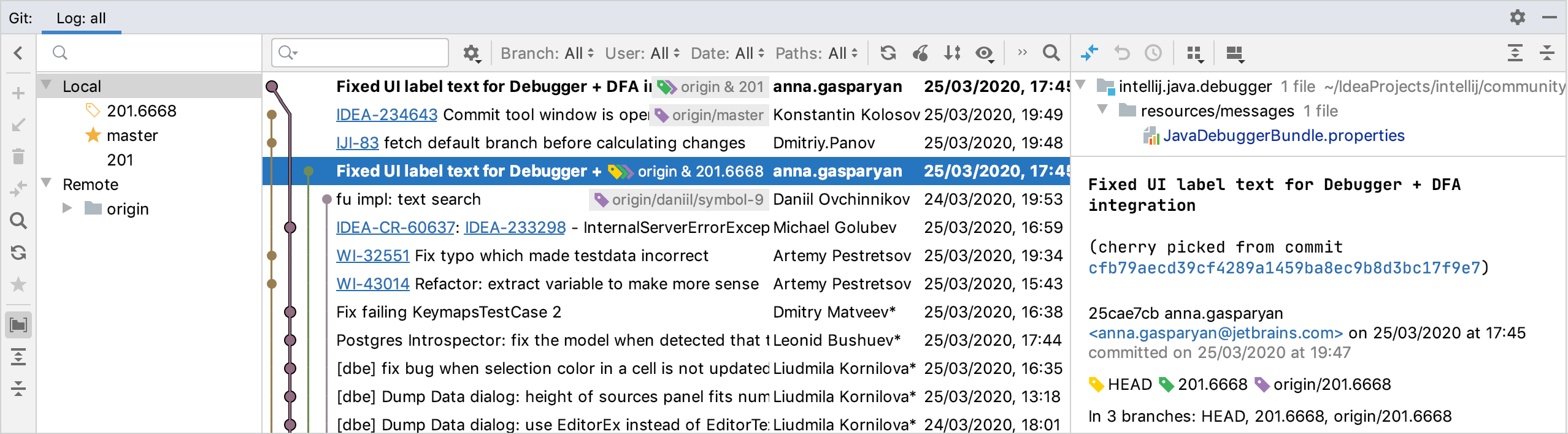
📸 Investigate changes in Git repository | IntelliJ IDEA ...
Navigating the Timelines: Git Integration and AI Assistance
\nOnce your code is looking pristine and behaving itself, you'll want tools that help you manage its evolution and accelerate its creation. This is where Git integration and the latest AI assistants come into play.
\n\nGitLens: Unmasking Your Code's History
\nEver stared at a line of code and wondered, \"Who wrote this monstrosity? And why?\" Enter GitLens. This extension is a total game-changer for anyone working with Git. It supercharges the Git capabilities built into your IDE (especially VS Code, where it truly shines) by showing you who, what, why, and when any line or code block was changed. It's like having a crystal ball for your codebase's history.
\nWith GitLens, you get inline blame annotations, detailed commit histories, and easy navigation through revisions – all without ever leaving your editor. It's saved my bacon countless times when debugging tricky issues or trying to understand the context of a particular implementation. It's one of those extensions you install and then wonder how you ever lived without.
\n\nGitHub Copilot & Tabnine: Your AI Pair Programmer
\nThe rise of AI in development has been nothing short of astounding, and extensions like GitHub Copilot and Tabnine are at the forefront. These AI-powered code completion tools are like having an incredibly knowledgeable (if sometimes overly enthusiastic) junior developer sitting next to you, suggesting entire lines or blocks of code as you type.
\nThey excel at boilerplate, repetitive tasks, and even suggesting complex logic based on your context. Need to map an array? Copilot's probably got the perfect `map` function waiting for you. Writing a test? It'll often suggest the `describe` and `it` blocks, sometimes even with relevant assertions. They're incredible productivity boosters, allowing you to focus on the higher-level architecture and problem-solving rather than the tedious typing.
\nHowever, a word of caution: they're not infallible. Sometimes they \"hallucinate\" incorrect code, or suggest solutions that aren't quite what you're looking for. Always treat AI suggestions as suggestions, not gospel. Review the code, understand it, and only then accept it. They're powerful tools, but they don't replace human understanding and critical thinking. I've personally found Copilot to be a bit more aggressive and context-aware, making it my go-to, but Tabnine is also a strong contender, especially for those looking for a local-first solution.
\n\nBeyond the Code: API Testing and Developer Utilities
\nOur IDE isn't just for writing code; it's a full-fledged development environment. That means having tools for interacting with other services, inspecting paths, and generally making the developer's life smoother. The Reddit thread had some great suggestions here, too.
\n\nREST Client: Your In-IDE API Playground
\nRemember the days of switching between your IDE and Postman or Insomnia just to test an API endpoint? What a drag! REST Client (for VS Code) eliminates that context-switching friction entirely. It allows you to send HTTP requests directly from your editor using simple `.http` or `.rest` files.
\nThis is incredibly convenient for rapid API development and testing, especially when you're building a frontend that consumes your own backend. You can version control your API requests right alongside your code, making it easy for team members to replicate specific tests or understand how an endpoint is expected to be used. It's a small change that makes a big difference in your daily workflow.
\nHere's a simple example of a `.http` file:
\nGET https://api.example.com/users/123\nAuthorization: Bearer {{token}}\n\n###\n\nPOST https://api.example.com/users\nContent-Type: application/json\n\n{\n \"name\": \"Jane Doe\",\n \"email\": \"jane.doe@example.com\"\n}You hit a \"Send Request\" button right above the request, and the response pops up in a separate pane. Simple, elegant, and effective.
\n\nQuality-of-Life Utilities: Path Intellisense & Auto Rename Tag
\nSometimes, it's the little things that make the biggest difference. Extensions like Path Intellisense provide intelligent autocompletion for file paths, saving you from endless `../` or `./` navigation nightmares. It's a subtle helper, but once you're used to it, you'll miss it dearly when it's gone.
\nAnother unsung hero is Auto Rename Tag. Working with HTML, JSX, or XML? This extension automatically renames the paired HTML/XML tag when you change one. Change an opening `
While not strictly IDE extensions, it's also worth a quick shout-out to browser developer tools (like those built into Chrome, Firefox, Safari, Edge). They are an essential part of the web dev workflow, providing powerful debugging, profiling,
댓글
댓글 쓰기