📸 JavaScript vs TypeScript: The Practical Guide for Choosing Right
The JS Landscape in 2025: Why TypeScript Still Rules (and How)
Alright folks, let's talk about JavaScript. Specifically, let's talk about how we're going to be writing smarter JavaScript in 2025. If you're still thinking of TypeScript as just 'JavaScript with types,' you're missing a trick. Big time. It's evolved into a powerhouse that fundamentally changes how we reason about, build, and maintain complex applications. And honestly, if you're not leveraging its more advanced features, you're leaving a lot of productivity and bug-prevention on the table.
We've all been there: a seemingly simple change blows up in production because some deeply nested object had a different shape than we expected. Or you spent an hour debugging a typo in a string literal. That's where modern TypeScript shines, not just by catching basic type errors, but by giving us tools to model incredibly complex real-world data and logic right in our editor. It's about writing code that's not just functional, but also robust, understandable, and a joy to refactor. So, let's dive into some features that, in my humble opinion, you absolutely can't ignore if you want to be a top-tier JavaScript dev by 2025.
📸 Building Smarter Frontends: My Journey with JavaScript ...
Beyond Basic Type Safety: Crafting Smarter Data Structures
When most people think TypeScript, they think `string`, `number`, `boolean`. Yawn. The real magic happens when you start manipulating types themselves. This is where you elevate your type definitions from mere descriptions to powerful, generative logic.
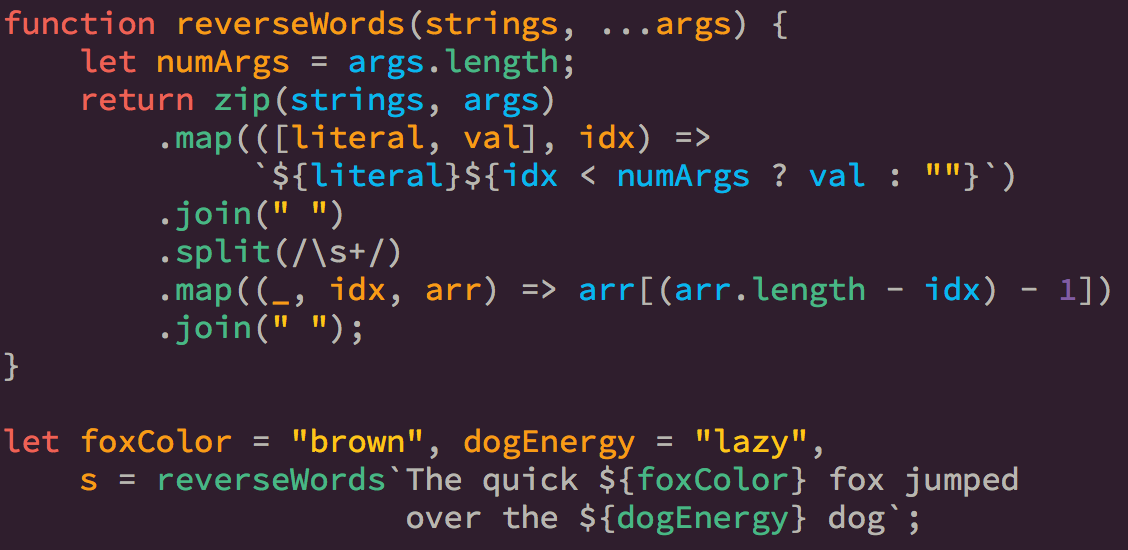
📸 ES2015 Template Literals. “Template literal” may sound ...
1. Template Literal Types (TS 4.1) & 2. `const` Assertions (TS 3.4)
Ever needed to define types for strings that follow a specific pattern? Like an API endpoint that always starts with `'/api/'` and ends with a specific resource? Or perhaps event names that combine a prefix and a specific action? Template Literal Types let you do just that. Combine them with `const` assertions, and you've got a recipe for highly precise, immutable string literals.
Imagine a scenario where you're building a design system, and you have specific color variants or sizes. Instead of just `string`, you can enforce actual patterns:
type ColorVariant = 'primary' | 'secondary' | 'tertiary';
type Size = 'small' | 'medium' | 'large';

type ThemeClassName = `theme-${ColorVariant}-${Size}`;

const myButtonClass: ThemeClassName = 'theme-primary-medium'; // Works!
// const anotherButtonClass: ThemeClassName = 'theme-red-tiny'; // Type error! Perfect.

// Using 'const' assertions for literal types
const CONFIG = {
  API_URL: 'https://api.example.com' as const,
  VERSION: 'v1' as const,
  LOG_LEVEL: 'debug' as const
};

type APIPath = `
  ${typeof CONFIG.API_URL}/${typeof CONFIG.VERSION}/users
`;

const userEndpoint: APIPath = 'https://api.example.com/v1/users'; // Correct
// const wrongEndpoint: APIPath = 'https://api.example.com/v2/users'; // Type error!
This isn't just academic; it's incredibly practical for ensuring consistency across large codebases, especially when dealing with APIs, routing, or CSS classes. It's like having a mini regex engine for your types!

📸 JavaScript Tutorial 19 - Recursive Function in JavaScript (Recursion)
3. Recursive Type Aliases (TS 4.2)
Got deeply nested, self-referential data structures? Think JSON trees, comment threads, file systems. Before TS 4.2, dealing with these was a bit of a pain. You often had to resort to interfaces or type assertions. Now, you can define truly recursive type aliases, making complex data modeling a breeze.
type TreeNode = {
  id: string;
  name: string;
  children?: TreeNode[]; // This is the magic! It can refer to itself.
};

const fileSystem: TreeNode = {
  id: 'root',
  name: '/',
  children: [
    {
      id: 'src',
      name: 'src',
      children: [
        { id: 'index.ts', name: 'index.ts' }
      ]
    },
    { id: 'package.json', name: 'package.json' }
  ]
};

// Imagine the type safety when traversing this structure!
This capability is a game-changer for anything involving hierarchical data. It keeps your types clean and accurate, reflecting the true nature of your data without workarounds.
Developer Experience & Type System Power-Ups
TypeScript isn't just about catching errors; it's about making the development process smoother and more intuitive. These features significantly boost your daily coding experience and unlock deeper type manipulation.
4. `satisfies` Operator (TS 4.9)
Oh, `satisfies`. Where have you been all my life? This operator is brilliant for those times when you want to ensure an object conforms to a specific type, but you *also* want to retain the literal types of its properties. Before `satisfies`, you often had to choose between strict type checking and precise type inference. Now, you get both.
type Config = {
  port: number;
  host: string;
  timeout: number;
  retries?: number;
};

const appConfig = {
  port: 3000,
  host: 'localhost',
  timeout: 5000,
  retries: 3 // This property is inferred as '3', not just 'number'
} satisfies Config;

// Now, appConfig.retries is precisely '3', not just 'number'.
// This is huge for auto-completion and ensuring specific literal values.

console.log(appConfig.retries.toFixed()); // '3'.toFixed() would be an error if it was just 'number'
// Error: Property 'toFixed' does not exist on type '3'.
// Wait, this is actually a good example of *not* losing literal type, but also showing potential runtime errors if you expect a method.
// Let's refine the example to better show the benefit of literal type retention.

type EventMap = {
  'user:created': (name: string, id: string) => void;
  'user:deleted': (id: string) => void;
};

const myEvents = {
  'user:created': (name, id) => console.log(`User ${name} (${id}) created`),
  'user:deleted': (id) => console.log(`User ${id} deleted`)
} satisfies EventMap;

// Now, `myEvents['user:created']` is known to be a function taking `(name: string, id: string)`
// This allows for better inference when using the object's properties.
// If I tried to assign a function with wrong parameters, `satisfies` would catch it.
This is a lifesaver for configuration objects, event maps, or anywhere you need strict adherence to an interface while preserving the richest possible type information.
5. Conditional Types (TS 2.8) & 6. `infer` Keyword
Conditional Types are the `if/else` statements of the type system, letting you define types that depend on other types. Combined with the `infer` keyword, they become incredibly powerful for extracting parts of types, leading to highly flexible and reusable utility types.
// Extract the return type of a function
type ReturnType<T> = T extends (...args: any[]) => infer R ? R : any;

function greet(name: string) {
  return `Hello, ${name}`;
}

type GreetReturnType = ReturnType<typeof greet>; // string

// Extract element type from an array
type ElementType<T> = T extends (infer U)[] ? U : T;

type NumberArray = number[];
type ArrayElementType = ElementType<NumberArray>; // number

type StringOrNumber = string | number;
type NonArrayElementType = ElementType<StringOrNumber>; // string | number
These are the building blocks for many advanced utility types you see in libraries and frameworks. Mastering them allows you to write incredibly expressive and type-safe APIs.
7. Mapped Types (TS 2.1) & 8. Key Remapping with `as` (TS 4.1)
Mapped Types allow you to transform existing object types into new ones, often by iterating over their properties. With the `as` clause introduced in TS 4.1, you can even remap the keys themselves. This is fantastic for creating derived types, like making all properties optional, readonly, or adding a prefix/suffix to keys.
type User = {
  id: string;
  name: string;
  email: string;
};

// Make all properties optional
type PartialUser = { [P in keyof User]?: User[P] }; // { id?: string; name?: string; email?: string; }

// Add 'get' prefix to all keys
type Getters<T> = {
  [K in keyof T as `get${Capitalize<string & K>}`]: () => T[K]
};

type UserGetters = Getters<User>;
/*
{
  getId: () => string;
  getName: () => string;
  getEmail: () => string;
}
*/
This is incredibly powerful for generating utility types, especially when working with ORMs, API clients, or state management libraries where you need to derive different forms of an object type.
Optimizing Your Workflow & Future-Proofing Your Codebase
Beyond the type system itself, TypeScript offers features that directly impact how your code is bundled, interpreted, and how you interact with it day-to-day.
9. `import type` (TS 3.8) & 10. `moduleResolution: 'bundler'` (TS 5.0) & Expandable Hovers (TS 5.9 Preview)
These might seem disparate, but they all speak to optimizing your development and build process. `import type` is a subtle but important feature for bundle size and clarity. It explicitly tells bundlers that an import is *only* for types and can be safely removed, preventing accidental runtime imports of purely type-related files.
// For types only, this ensures no runtime code is bundled
import type { SomeType } from './types';

// For values and types
import { someValue } from './utils';
Then there's `moduleResolution: 'bundler'`. This configuration option in your `tsconfig.json` (available since TS 5.0) is a game-changer if you're using modern bundlers like Vite, Webpack, or Rollup. It aligns TypeScript's module resolution logic with how these bundlers actually work, leading to faster build times, more accurate type checking, and fewer headaches with module paths. It's designed to be smarter and more performant than older strategies like `node` or `nodenext` when a bundler is in the mix. If you're using a bundler, you should probably be using this.
Finally, let's talk about developer experience in the IDE. TypeScript 5.9 is previewing a feature called **Expandable Hovers** or “quick info verbosity.” If you're a VS Code user (and let's be real, most of us are), this means when you hover over a complex type, you'll get more detailed, expandable information. No more endless scrolling through a single line of a deeply nested generic type. It's a small but mighty quality-of-life improvement that will save you precious minutes when debugging intricate type issues. It's about making those powerful types *readable*.
What I Actually Think About This
Look, I get it. TypeScript can feel like a beast sometimes, especially when you venture beyond the basics. But honestly? The juice is worth the squeeze. The features we've discussed today aren't just academic curiosities; they're pragmatic tools that directly translate into less buggy code, clearer intentions, and a significantly improved developer experience. I've personally seen projects transform from type-assertion-hell to beautifully typed, self-documenting systems by adopting these patterns.
My biggest piece of advice is to stop seeing TypeScript as a chore and start viewing it as a powerful design tool. It forces you to think more deeply about your data structures and API contracts upfront, which almost always leads to better architecture. Are there rough edges? Sure. Does it sometimes feel like you're fighting the compiler? Absolutely. But the safety net it provides, especially in larger teams or long-lived projects, is simply invaluable. Plus, the tooling, especially in VS Code, is just getting better and better. Expandable hovers? Yes please!
Conclusion: Embrace the Power, Ship with Confidence
As we head into 2025, the lines between JavaScript and TypeScript will continue to blur, but the need for robust, maintainable code will only intensify. By embracing these advanced TypeScript features, you're not just staying current; you're actively investing in the quality, scalability, and future-proof nature of your projects. Don't just slap `any` everywhere; dig in, understand the power of the type system, and build smarter JavaScript. Your future self (and your teammates) will thank you.
References:
- Announcing TypeScript 4.1 (Template Literal Types, Key Remapping)
- Announcing TypeScript 4.2 (Recursive Type Aliases)
- Announcing TypeScript 4.9 (`satisfies` operator)
- Announcing TypeScript 5.0 (`moduleResolution: 'bundler'`)
- Announcing TypeScript 5.9 Beta (Expandable Hovers)
- TypeScript Handbook: Conditional Types
댓글
댓글 쓰기